Configuring Flux
Last updated: July 5, 2026
Most Flux behavior works out of the box, but a few settings let you tailor the report to your organization. This article covers variance thresholds (which accounts make it into the report) and parent-level reports (which level of the chart of accounts the report runs at).
Variance thresholds (% and $)
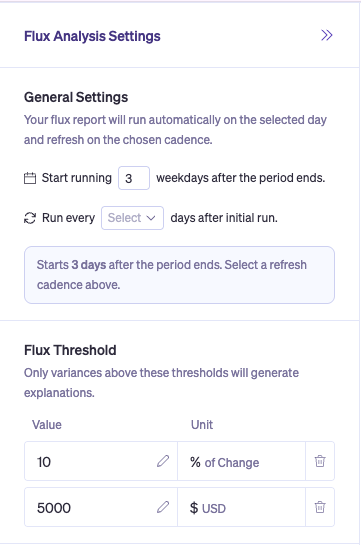
Control which accounts make it into the report by setting your own materiality thresholds — either as a percentage of period-over-period change, a dollar amount, or both. Accounts that don't cross the threshold are filtered out so the report stays focused on what matters.
Defaults: 10% and $10,000. Both are configurable per tenant.
When to adjust:
Raise the thresholds if your report is too noisy and you only care about large movements.
Lower the thresholds if you're missing accounts you'd expect to see.
Parent-level vs. account-level reports
Flux can run at the parent account level instead of the child account level. For organizations with deeply nested charts of accounts, parent-level reports give you one explanation per parent (e.g., Cost of Sales) instead of one per leaf account — useful when you review at the rollup level and the child detail is noise.
Parent-level reports are set up during onboarding. Reach out to your Nominal contact if you'd like to switch your report from account-level to parent-level.
Run cadence is also configurable — covered in Running and Refreshing Your Flux Report. [ Link to the new article]