The Flux Agent
Last updated: July 5, 2026
The Flux Agent is a chat assistant built into the Flux report. It already knows the report you're looking at — the periods, the accounts, the variances, and the underlying journal entries — so you don't have to set context. Ask it anything from "what's the biggest driver of the COGS variance?" to "draft a board-ready explanation for this account."
How to open the Flux Agent
The Agent has two entry points:
Top of the report — click Ask Flux Agent in the report header. The conversation starts at the report level — useful for high-level questions or comparing across accounts.
From any account row — open the row menu and choose Ask Flux Agent. The conversation starts scoped to that account, so the Agent focuses its answers on that variance.

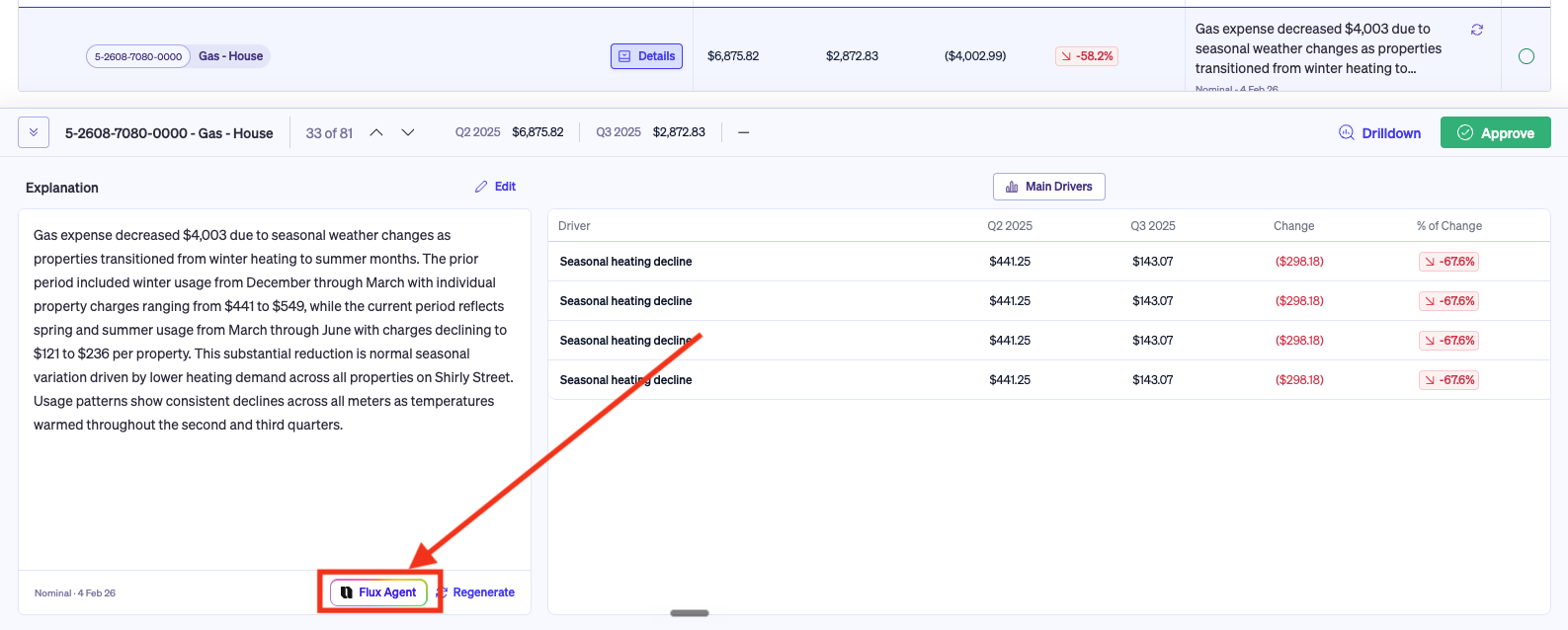
What to ask the Agent
The Agent works best when you ask the kind of question you'd ask a senior analyst. Examples:
"What drove the increase in Cost of Sales this quarter?"
"Which vendor was the biggest contributor to the marketing overspend?"
"Draft a one-paragraph explanation for the board on this G&A movement."
"Compare this account's movement to last quarter — is the pattern similar?"
"Are there any timing entries in here that I should expect to reverse next month?"
You can ask follow-up questions, request a tighter narrative, pull more detail on a specific driver, or have the Agent restructure its answer.
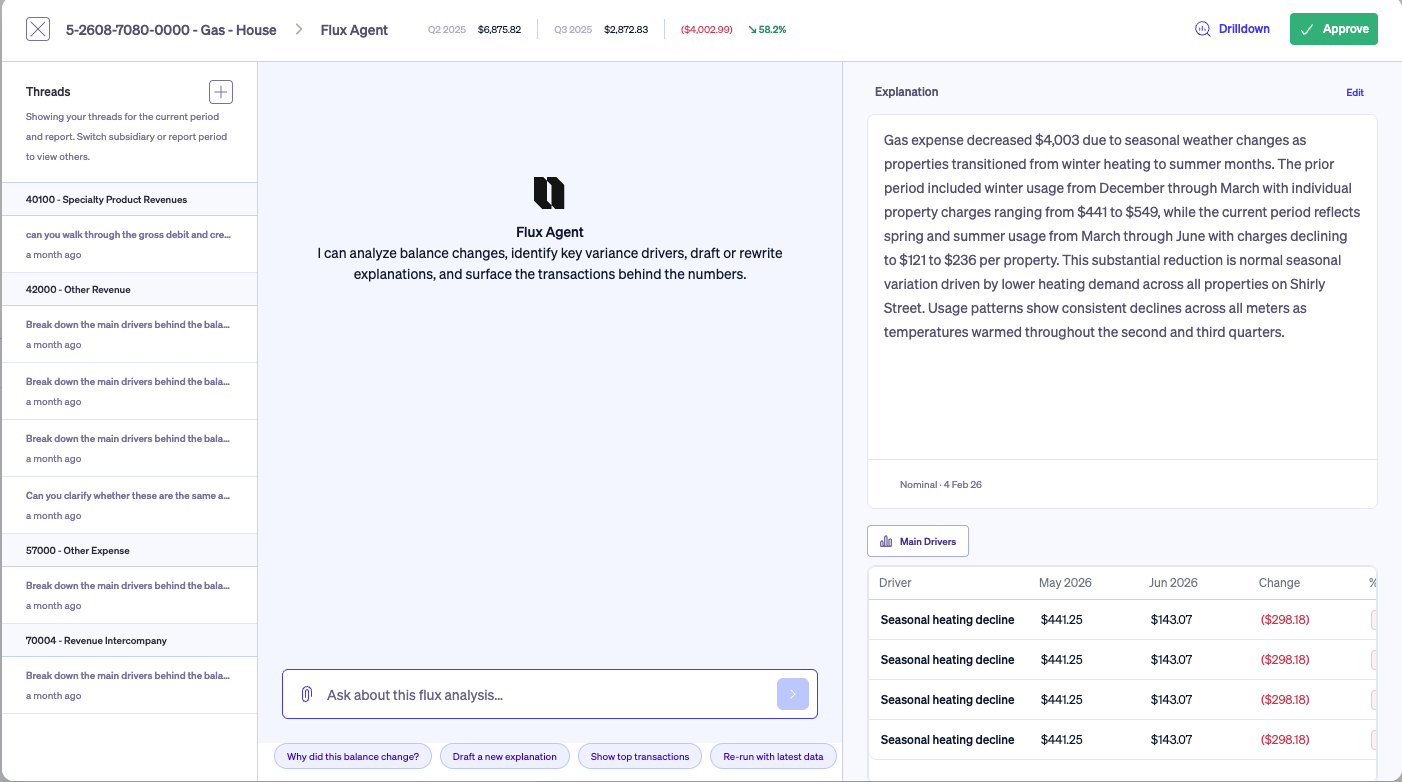
How the Agent uses your report
The Agent runs against the same underlying data as your Flux report: the journal entries behind each variance, the AI's identified drivers, and the account context. It does not invent numbers — evry figure it cites is traceable back to a transaction in your GL.
If the Agent's answer doesn't reflect the latest data, regenerate the relevant account (or the full report) — the Agent will pick up the refreshed analysis on its next response. See Running and Refreshing Your Flux Report.